
|
|
|
SPELL CHECKER ACTIVATION INSTRUCTIONS MICROSOFT OFFICE 365, 2024, 2021, 2019, or 2016 |
These instructions show you how to add the Inductel Medical Spell Checker to Microsoft Office 365, 2024, 2021, 2019, or 2016. These instructions apply not only to the Medical Spell Checker, but also to all other Inductel spell checkers such as the Combination Spell Checker.
1. Open Microsoft Word or other Office document.
2. Open "Preferences."
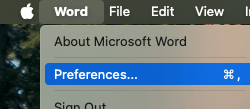
3. In "Preferences", select "Spelling & Grammar."
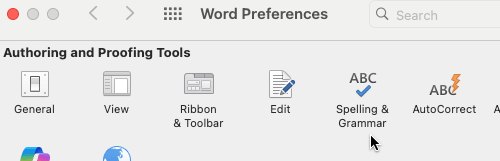
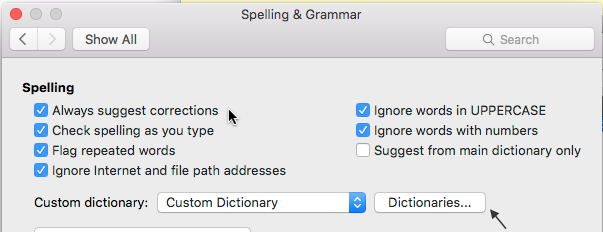
4. In "Spelling and Grammar", place a check by "Always suggest corrections", remove any check from "Suggest from main dictionary only." Then click the Dictionaries" button.
5. In "Custom Dictionaries", click on Add.
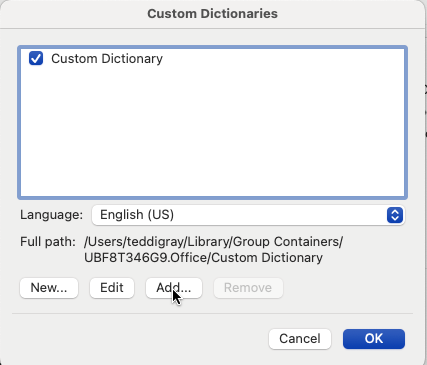
6. Click to open the "UBF8T" Custom Dictionaries selector box, shown immediately below, and then select "Users" from the resulting pull-down menu.
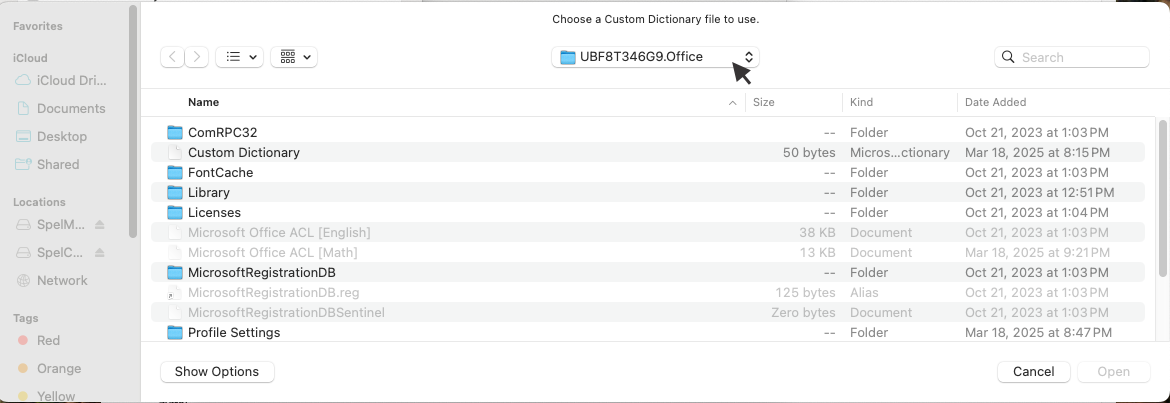
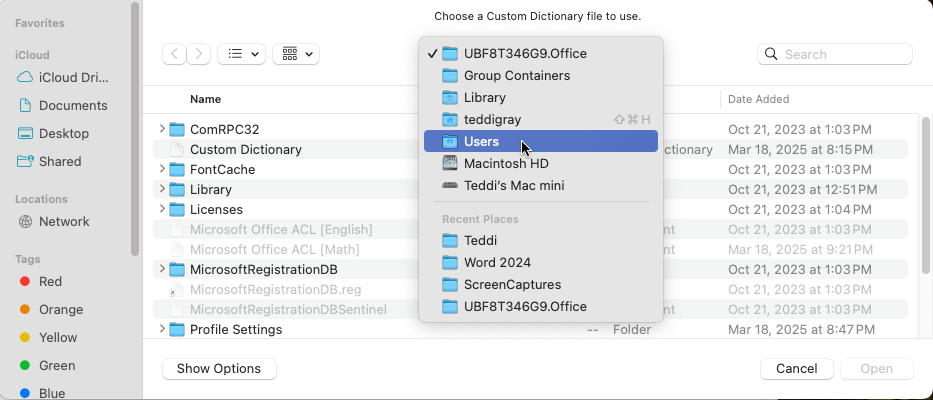
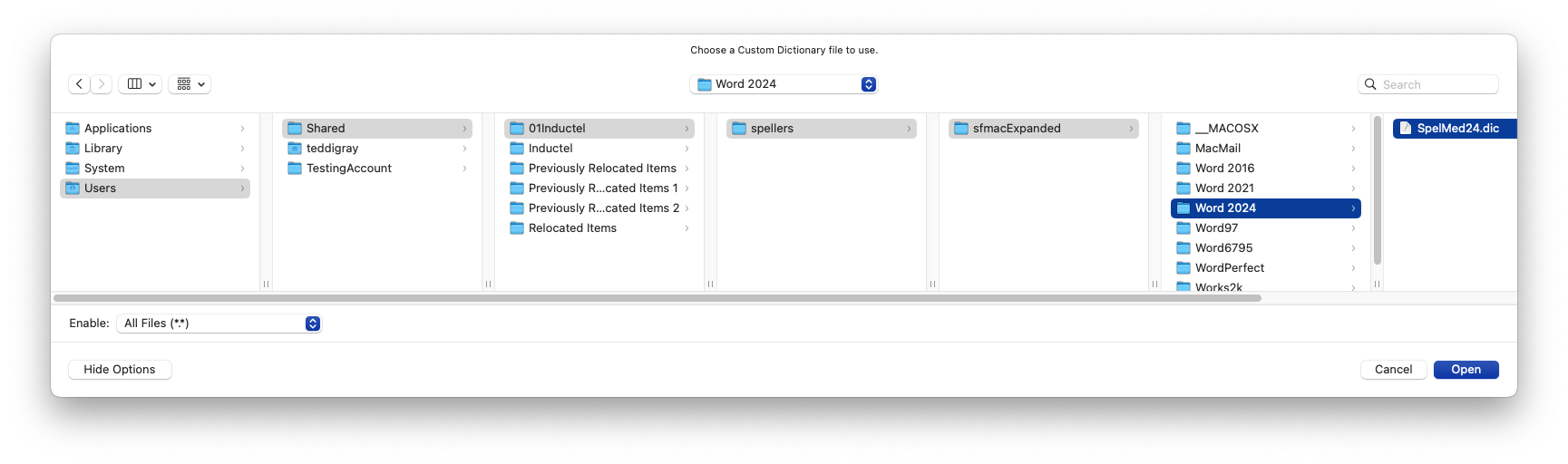
7. Next, browse to the Word 2024 folder along this path: Users/Shared/01Inductel/spellers/sfmacExpanded/Word 2024/SpelMed24.dic (or SpelCombo24.dic). See image immediately below. Some of the folders may be not be visible, for instance 01Inductel. If so, click on the "Shared" folder. 01Inductel will become visible, and so on. Next, in the lower left corner of that same dialog box, please elect to "Show Options" and "Enable All Files(*.*)."
8. As soon as "SpelMed24.dic" or "SpelCombo24.dic" is visible and not grayed out, single click on on it to make the "Open" button live. Then, click on the "live" Open button, located in the lower right corner of the dialog box, to add that dictionary to Microsoft Office. 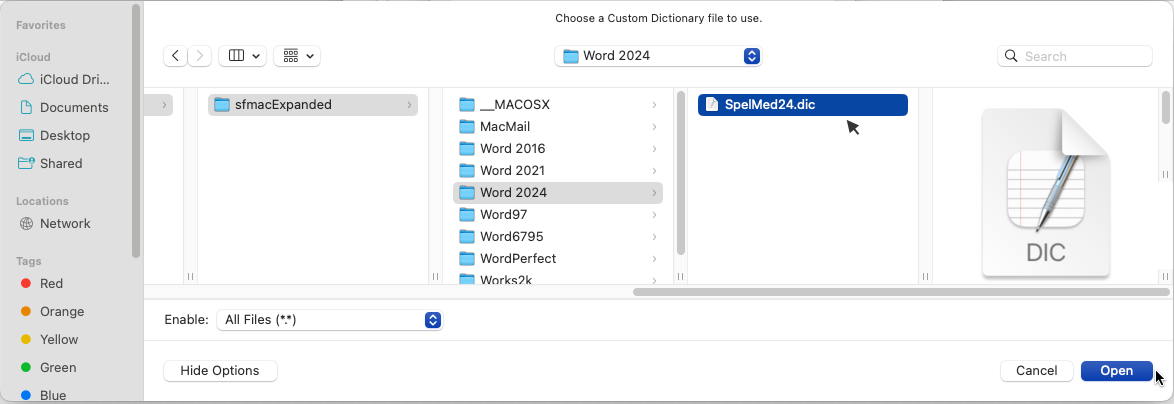
9. Success! Your new Inductel custom dictionary is now ready for use. Let's test it.
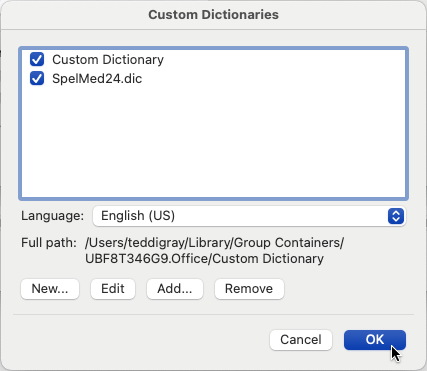
10. Verify that your new custom dictionary is working. Give it some test words.
Medical spell checker key in: Biktarvy, Combipatch, and Vivelle. If your new speller is working it will pass those words as being correctly spelled.
Legal spell checker key in: ab initio, judicata, legitimum, respondere. If your new speller is working it will pass those words as being correctly spelled.
Sci & Tech spell checker key in: abrachia, Celebrex, and sternocleidomastoid. If your new speller is working it will pass those words as being correctly spelled.
Combination spell checker key in: abrachia, Celebrex, and sternocleidomastoid. If your new speller is working it will pass those words as being correctly spelled.
Done!
-----------------------------------------------------------------
For information on other Inductel products, upgrades, etc., please visit the Inductel website at www.inductel.com . For technical support, please call Inductel at (408)655-5925, 9am to 5pm Pacific Time. Or send us an email at assistance.inductel@gmail.com 24/7. Or visit our "Help" page.