
|
|
|
SPELL CHECKER ACTIVATION INSTRUCTIONS OPEN OFFICE 4 |
Activating your new speller is simple. Import a special dictionary from us to your word processing app. Then enable the special dictionary. Here, we provide the instructions how to do that. Please read the following instructions and then execute them using your word processing app. So open your word processing app now. Remember! Follow this set of instructions. Apply them in your word processing app. Let's get started.
1. Start OpenOffice, and exit OpenOffice, to create the wordbook folder.
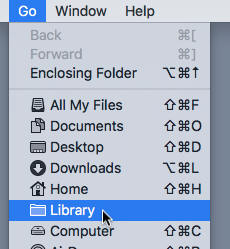
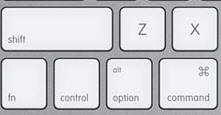
2. Hold open the Go menu, hit your Option key to reveal the Library entry, and go to the Library folder.
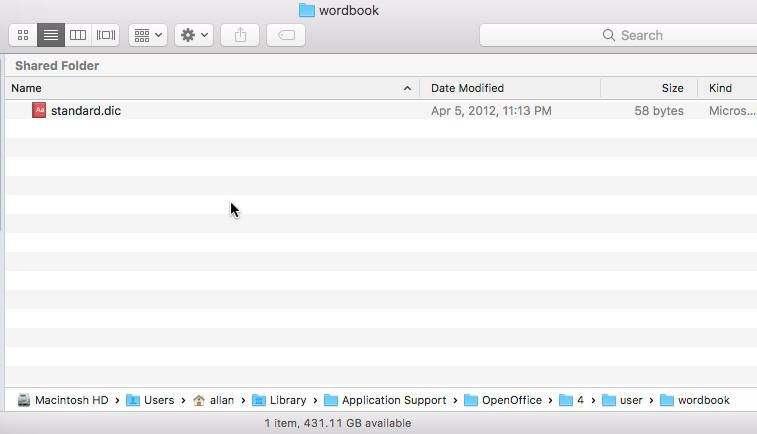
3. In Library, open the wordbook folder.
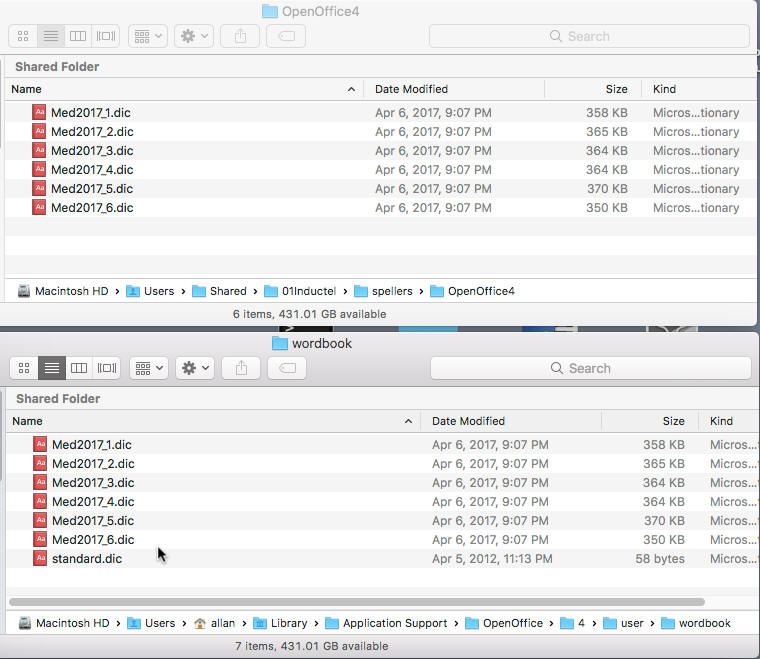
4. Copy all six Inductel dictionaries, from the "OpenOffice4" folder to the "wordbook" folder.
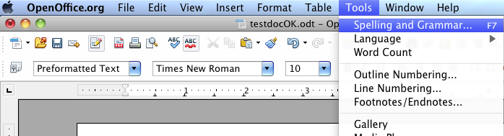
5. Open a document, and from "Tools" select "Spelling and Grammar" .
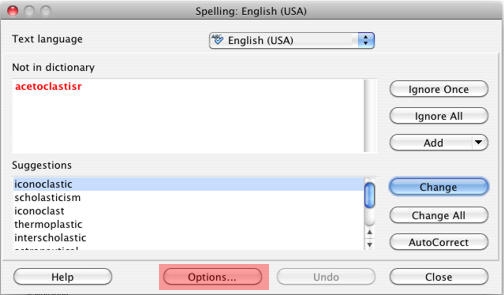
In "Spelling", click on "Options."
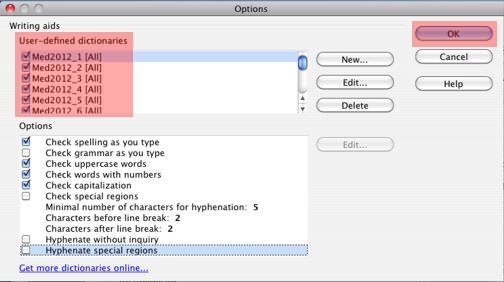
In "Options", place a check mark by each of the "Med2017" user-defined dictionaries. There are 6 of them. When spell checking small documents, you can probably have all six Inductel custom dictionaries active simultaneously. On large documents, 800 kb and above, you may have up to 2 dictionaries active simultaneously. Click on "OK."
6. Run a spell check on these test words.
Medical spell checker key in: abrachia, Celebrex, and sternocleidomastoid. If your new speller is working it will pass those words as being correctly spelled.
Legal spell checker key in: ab initio, judicata, legitimum, respondere. If your new speller is working it will pass those words as being correctly spelled.
Sci & Tech spell checker key in: abrachia, Celebrex, and sternocleidomastoid. If your new speller is working it will pass those words as being correctly spelled.
Combination spell checker key in: abrachia, Celebrex, and sternocleidomastoid. If your new speller is working it will pass those words as being correctly spelled.
7. Done!
For information on other Inductel products, upgrades, etc., please visit the Inductel website at www.inductel.com . For technical support, please call Inductel at (408)655-5925, 9am to 5pm Pacific Time. Or send us an email at assistance.inductel@gmail.com 24/7. Or visit our "Help" page.